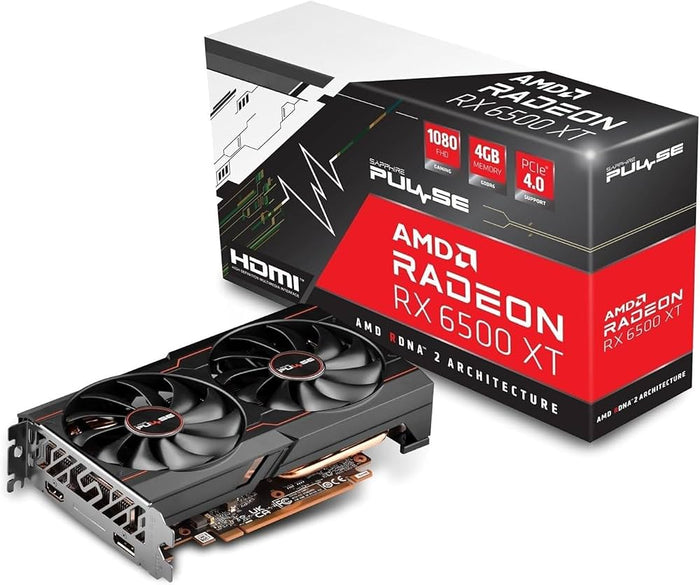
To ensure PC component compatibility, you must match five physical and electrical standards: CPU socket type with the motherboard, RAM generation (DDR4 vs DDR5) with memory slots, GPU dimensions with case clearance, CPU cooler bracket mounting with socket dimensions, and total system wattage with power supply capacity. Always verify BIOS support and motherboard QVL lists before purchasing.
How Do You Check CPU and Motherboard Compatibility?
Checking CPU and motherboard compatibility requires matching two critical specifications: the physical socket type and the motherboard chipset. The CPU socket is the physical socket on the motherboard where the processor sits, and both must share the exact same socket design to connect properly. For instance, AMD Ryzen 7000, 8000, and 9000 series processors require an AM5 socket motherboard, whereas older Ryzen 1000 through 5000 series CPUs require an AM4 socket.
Intel platforms follow the same rule. Intel Core Ultra 200 series desktop processors use the LGA1851 socket, while 12th, 13th, and 14th Gen Intel Core processors require the LGA1700 socket. Even if the socket matches physically, you must check the motherboard manufacturer's official CPU Support List. Newer CPUs released after a motherboard's launch may require a BIOS update before the board will boot with that processor.
| Platform / Socket | Supported CPU Generations | Memory Standard Supported |
| AMD AM5 | Ryzen 7000, 8000, 9000 Series | DDR5 Only |
| AMD AM4 | Ryzen 1000, 2000, 3000, 4000, 5000 Series | DDR4 Only |
| Intel LGA1851 | Core Ultra 200 Series | DDR5 Only |
| Intel LGA1700 | 12th, 13th, 14th Gen Core Series | DDR4 or DDR5 (Board Specific) |
How Do You Match RAM with Your Motherboard and CPU?
Memory compatibility depends on generation, speed, physical slot layout, and motherboard design. DDR4 and DDR5 RAM kits are physically notched differently along their contact pins, meaning you cannot insert a DDR5 stick into a DDR4 motherboard slot or vice versa. Additionally, memory controller limitations on the CPU determine the maximum frequency your system can run stably without manual tuning.
Motherboard manufacturers publish a Qualified Vendor List (QVL) on their official product page listing every tested RAM model. While non-QVL RAM often works at baseline speeds, picking a kit listed on the motherboard QVL guarantees that the advertised EXPO or XMP overclocking profile will run stably at full speed. On modern AMD AM5 platforms, choosing a dual-channel kit rated at 6000MHz CL30 provides the optimal balance of stability and performance.
How Do You Check GPU, Case, and Power Supply Clearance?
A graphics card must fit inside your case physically and receive sufficient electrical power from your power supply unit (PSU). First, check your PC case specification sheet for "Maximum GPU Length" (typically measured in millimeters, such as 320mm or 360mm) and compare it against your chosen graphics card length. Triple-fan modern GPUs often require 300mm or more of clearance and can occupy 3 to 4 expansion slots in thickness.
Second, verify that your PSU provides enough total wattage and includes the correct power cables. Add the maximum power consumption (TDP) of your CPU and GPU, add [VERIFY: standard system overhead wattage, e.g., 75W–100W] for storage, fans, and motherboard overhead, and multiply the total by 1.3 to ensure 30% headroom. Modern GPUs like high-end RTX cards also require either traditional PCIe 8-pin connectors or native 12VHPWR/12V-2x6 16-pin cables, so ensure your power supply includes the exact cables needed.
| Component / Parameter | Key Compatibility Specification | Where to Find Details |
| GPU Length | Maximum clearance in millimeters (mm) | PC Case Spec Sheet |
| CPU Cooler Height | Maximum tower height clearance (mm) | PC Case Spec Sheet |
| Radiator Mounts | Supported sizes (240mm, 280mm, 360mm) | PC Case Spec Sheet |
| PSU Power & Connectors | Total wattage & 8-pin / 16-pin cable count | PSU Spec Sheet |
What Are the Most Common Beginner PC Building Mistakes?
Buying parts based solely on brand names rather than exact model specifications leads to the most frequent assembly issues. A common mistake is buying an oversized air cooler or AIO liquid cooler radiator that blocks the motherboard's top heatsinks or collides with tall RAM modules. Always verify CPU cooler height limits and radiator mounting support positions listed on your case specifications.
Another mistake involves choosing an undersized or low-quality power supply. Cutting costs on a power supply endangers your components, as budget units without proper safety protections can fail under power spikes. Lastly, mixing RAM kits from different brands or buying single-stick RAM instead of dual-channel kits reduces system memory bandwidth and drops gaming performance.
How Does an Online PC Build Configurator Prevent Compatibility Errors?
An automated PC build configurator filters out incompatible parts in real time as you select each component. When you choose an AM5 processor, the system automatically hides incompatible LGA1700 motherboards and DDR4 RAM kits, leaving only valid combinations. This eliminates guesswork regarding pin layouts, socket types, and form factor mismatches.
Configurators also run automated physical checks, calculating total system wattage and comparing GPU dimensions against case constraints. Using a dedicated build tool allows you to plan custom configurations confidently, ensuring every part out of the box connects seamlessly without manual research or returned orders.
Frequently Asked Questions
Q: How do I know if a CPU and motherboard are compatible?
A: Check that both components share the exact same socket type, such as AMD AM5 or Intel LGA1700. Next, visit the motherboard manufacturer's website and check the official CPU Support List to verify that the specific CPU model is supported under current BIOS versions.
Q: What happens if I buy the wrong RAM type?
A: If you buy the wrong RAM generation, such as DDR4 for a DDR5 motherboard, the stick will not physically fit into the memory slot due to different notch locations. Attempting to force incorrect RAM into a slot will damage the memory module pins and the motherboard socket.
Q: Does GPU length matter for case compatibility?
A: Yes, GPU length is critical because modern graphics cards vary significantly in size, often ranging from 170mm for compact single-fan models to over 350mm for triple-fan cards. If a GPU exceeds your case's maximum GPU clearance specification, it will collide with front panel fans or radiator mounts and cannot be installed.
Ready to plan your next build without making compatibility mistakes? Try our automated Build Configurator to test your parts instantly, or explore our complete Beginner's PC Building Guide for expert hardware advice look for studbudpc.