What Exactly Is Corsair iCUE LINK?
iCUE LINK is Corsair’s ecosystem for simplified internal PC cabling and device control.
Core idea:
-
Instead of running separate PWM, SATA power, and ARGB cables for every fan and cooler, iCUE LINK devices connect in a daisy-chain.
-
A central Control Hub handles power distribution and communication, talking to your motherboard via a single USB header.
-
Lighting, fan curves, and monitoring are managed through Corsair’s iCUE software.
This matters most in builds with many RGB fans, multiple radiators, or several Corsair devices where traditional cabling becomes messy.
| Traditional Setup | iCUE LINK Setup |
|---|---|
| Multiple PWM + SATA + ARGB headers | Single USB to hub, daisy-chained devices |
| Many cables to motherboard and PSU | Fewer visible cables inside the case |
| Per-device control via motherboard | Unified control via iCUE software |
If you hate cable clutter and plan a Corsair-heavy build, iCUE LINK is designed for that scenario.
What Does the iCUE LINK Control Hub Do?
The iCUE LINK Control Hub is the brain of the ecosystem.
Key functions:
-
Provides power and data to all connected iCUE LINK devices over simplified links.
-
Connects to the motherboard via a single USB 2.0 header for software control.
-
Manages fan curves, RGB lighting, and device telemetry centrally through iCUE.
Capacity and limits:
-
The hub supports a fixed maximum number of iCUE LINK devices across its ports and daisy-chains.
-
Exact device limits depend on the hub model and power draw of connected fans and coolers.
-
You must stay within the hub’s rated capacity to avoid instability or underpowered devices.
| Function | iCUE LINK Control Hub Role |
|---|---|
| Power distribution | Powers fans, AIO pumps, and RGB devices |
| Data and control | Communicates with iCUE software via USB |
| Cable reduction | Replaces many PWM/ARGB/SATA connections |
The hub is optional for small builds but becomes valuable as your device count grows.
iCUE LINK vs Commander Core XT: Which Controller Do You Need?
Corsair already offers fan and pump control through Commander Core and Commander Core XT. iCUE LINK is a newer, more integrated approach.
Commander Core XT:
-
Traditional controller with multiple PWM fan headers and SATA power.
-
Often bundled with Corsair AIOs to manage pump and attached fans.
-
Uses standard motherboard connections and iCUE software for control.
iCUE LINK:
-
Daisy-chain ecosystem with simplified cabling between devices.
-
Central hub manages power and control for many devices at once.
-
Designed for builds with many fans and Corsair devices where cable clutter is a concern.
| Feature | Commander Core XT | iCUE LINK |
|---|---|---|
| Cabling | Multiple PWM/SATA/ARGB cables | Daisy-chained links, fewer cables |
| Typical use | AIO + a few fans | Multi-fan, multi-device builds |
| Ecosystem dependency | Works with standard PWM/ARGB fans | Best with iCUE LINK devices |
If you have one AIO and a handful of fans, Commander Core XT is often enough. If you plan many RGB fans and Corsair devices, iCUE LINK simplifies things.
Which Products Are Part of the iCUE LINK Ecosystem?
The iCUE LINK ecosystem currently centers on fans, coolers, and the Control Hub.
Main device types:
-
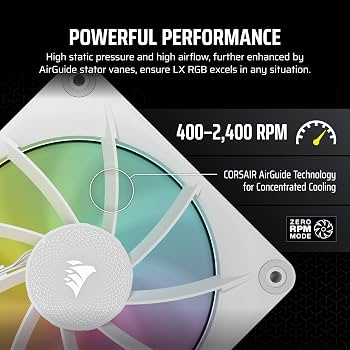
iCUE LINK fans: Such as LX120-R and LX140-R, which use the daisy-chain connection instead of separate PWM and ARGB cables.
-
iCUE LINK AIO coolers: Including Titan RX LCD models with built-in iCUE LINK support for pump and fans.
-
Control Hub: The central unit that connects to the motherboard and powers the chain of devices.
Future expansion:
-
Corsair has positioned iCUE LINK as a growing platform, with potential for more devices over time.
-
Not all Corsair fans, coolers, or RGB products are iCUE LINK compatible; many remain on standard PWM/ARGB.
| Device Type | Example SKUs | iCUE LINK Support |
|---|---|---|
| Case fans | LX120-R, LX140-R | Yes |
| AIO coolers | Titan RX LCD series | Yes (select models) |
| Controller | iCUE LINK Control Hub | Yes (core device) |
| Traditional fans/AIOs | Older ML, AF, Nautilus, etc. | No (standard PWM/ARGB) |
Always check the product page to confirm iCUE LINK compatibility before buying.
Do You Have to Go All-In on iCUE LINK, or Can You Mix and Match?
You do not need to convert your entire PC to iCUE LINK to benefit from it.
Practical approaches:
-
Use iCUE LINK fans and an iCUE LINK AIO in key visible areas, while running standard PWM/ARGB fans elsewhere.
-
Keep existing non-iCUE LINK devices on motherboard headers or a Commander Core XT, and add iCUE LINK only where cable clutter is worst.
-
Start with a small iCUE LINK setup (hub + a few fans) and expand later if you like the system.
Limitations to keep in mind:
-
Non-iCUE LINK devices cannot daisy-chain into the iCUE LINK chain; they need their own connections.
-
You will end up with two parallel systems (iCUE LINK and traditional) if you mix heavily, which reduces the cable-clutter benefit.
| Strategy | When It Makes Sense |
|---|---|
| Full iCUE LINK build | Corsair-heavy, many fans/devices |
| Partial iCUE LINK (fans or AIO) | Focus on main chamber or radiator area |
| No iCUE LINK, traditional only | Budget builds, few fans, non-Corsair devices |
You can absolutely mix, but the more you lean into iCUE LINK, the more you gain from its design.
Q: Do I need the iCUE LINK hub to use LX120-R fans?
Yes, iCUE LINK fans like the LX120-R require the iCUE LINK Control Hub or another compatible iCUE LINK device to provide power and data over the daisy-chain connection. They cannot be connected directly to standard motherboard PWM or ARGB headers like traditional fans.
Q: What's the difference between iCUE LINK and Commander Core XT?
Commander Core XT is a traditional fan and pump controller using multiple PWM and SATA connections, often bundled with AIOs. iCUE LINK is a daisy-chain ecosystem with a central hub that reduces cable clutter and unifies control for compatible fans, coolers, and devices.
Q: Can I mix iCUE LINK fans with regular PWM fans in the same build?
Yes, you can run iCUE LINK fans alongside regular PWM and ARGB fans in the same system. iCUE LINK fans connect through the iCUE hub, while standard fans connect to motherboard headers or a separate controller like Commander Core XT.
Ready to Plan Your iCUE LINK Setup?
Compare current iCUE LINK devices on our Control Hub, LX120-R/LX140-R fans, and Titan AIO pages, and see how they fit with our fan guide and AIO guide.