What Actually Voids Your PC Warranty in India?
Most brands distinguish between user-serviceable actions and unauthorized tampering.
Typically does not void warranty:
-
Opening the side panel to clean dust or check connections.
-
Adding or replacing RAM and 2.5"/M.2 SSDs in slots meant for user upgrades.
-
Swapping case fans or adding RGB strips powered from motherboard headers.
Typically does void warranty:
-
Breaking warranty seals or stickers on CPU, GPU, PSU, or AIO coolers.
-
Overclocking beyond rated specs if the brand explicitly prohibits it.
-
Physical damage: bent CPU pins, cracked PCBs, burnt components from wrong voltage.
-
Using non-standard modifications like drilling, soldering, or bypassing safety circuits.
The key is: no damage, no seal-breaking, and follow the brand’s documented rules.
Does Opening Your PC Case Void the Warranty?
For most prebuilt PCs and custom builds in India, opening the case does not by itself void warranty. Brands expect users to access the interior for cleaning, cable management, and basic upgrades.
What matters:
-
Do not remove or tear any warranty stickers that explicitly say “Warranty Void If Removed” on components.
-
Do not force connectors, strip screws, or crack the chassis.
-
Keep screws and parts organized so nothing is left loose inside.
If your case has a warranty sticker across a screw that seals the entire chassis (rare for PCs, more common in laptops), check the brand’s policy before removing it.
Can You Upgrade RAM Yourself Without Voiding Warranty?
Yes, upgrading RAM yourself is generally safe and does not void warranty, provided:
-
You use compatible RAM (correct DDR generation, speed, and voltage).
-
You install it carefully without bending pins or damaging slots.
-
You don’t remove any sealed component stickers in the process.
Most motherboard and prebuilt warranties assume users may upgrade RAM and storage. If a RAM stick causes a short or you damage the slot during installation, that specific damage may not be covered, but the rest of the system’s warranty remains intact.
Always keep original parts when possible; some brands ask for them during RMA.
Does Reapplying Thermal Paste Void CPU Warranty?
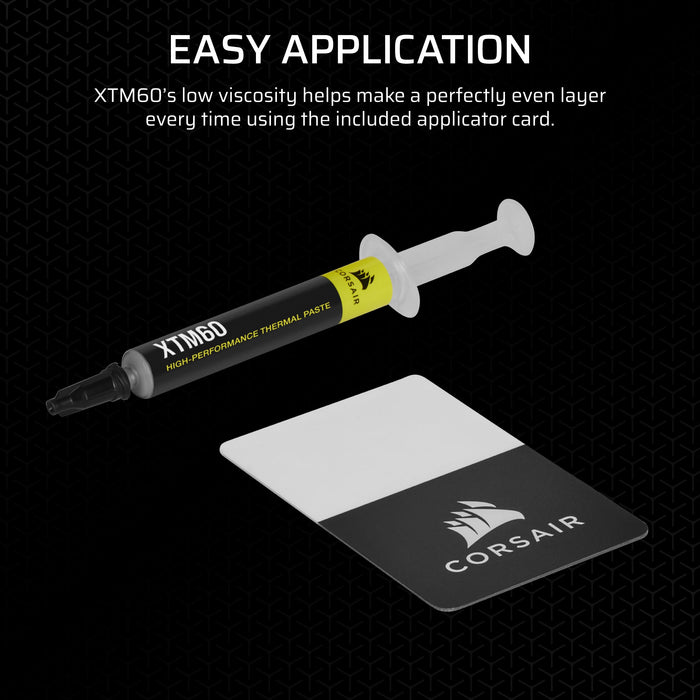
For boxed CPUs in India, the warranty usually covers manufacturing defects, not cooling-related issues. Reapplying thermal paste on the CPU’s integrated heat spreader (IHS) typically does not void the CPU warranty, as long as:
-
You do not delid the CPU (remove the IHS).
-
You do not scratch or damage the IHS or pins.
-
You use non-conductive thermal paste and apply it correctly.
Warranty can be voided if:
-
You delid the CPU or modify the IHS.
-
You cause physical damage while removing the cooler (e.g., ripping the CPU out with the cooler still stuck).
-
There is clear thermal paste spillage onto the socket or motherboard causing a short.
If you’re unsure, stick to reputable pastes and follow proper cooler removal steps.
How Do Manufacturer Policies Differ in India?
Different brands have different attitudes toward user modifications.
Common patterns:
-
Motherboard/Prebuilt brands: Allow RAM/SSD upgrades and case opening; void warranty only on damage or seal-breaking.
-
CPU brands (Intel/AMD): Focus on physical damage and delidding; normal cooler removal and repasting are acceptable.
-
GPU brands: Often have seals on screws; removing these to access the cooler can void warranty.
-
PSU brands: Almost always seal the unit; opening the PSU casing voids warranty immediately.
Always check:
-
The warranty card or PDF for your specific model.
-
The brand’s India website for RMA and warranty terms.
-
Any “warranty void if removed” stickers and what they cover.
When in doubt, assume sealed components are off-limits.
What DIY Upgrades Are Generally Safe in India?
Safe, low-risk upgrades for most systems:
-
Adding or replacing RAM modules.
-
Adding or replacing 2.5” SATA or M.2 NVMe SSDs.
-
Swapping case fans or adding RGB strips/fans connected to motherboard headers.
-
Installing an aftermarket CPU air cooler (without removing CPU from socket unnecessarily).
Higher-risk actions that need caution:
-
Replacing the CPU or GPU (risk of socket/PCIe damage).
-
Removing GPU coolers to replace thermal pads (often breaks seals).
-
Any modification involving soldering, voltage changes, or case cutting.
If a task requires breaking a seal or permanently altering hardware, treat it as warranty-risk.
Q: Does opening my PC case void the warranty?
No, opening the PC case by itself usually does not void warranty in India. Warranty issues arise only if you damage components, break manufacturer seals on sealed parts, or perform modifications prohibited by the brand.
Q: Can I upgrade RAM myself without voiding warranty?
Yes, you can upgrade RAM yourself without voiding warranty as long as you use compatible modules and install them without damaging the slots or motherboard. Any physical damage caused during installation may not be covered, but the act of upgrading RAM is generally allowed.
Q: Does reapplying thermal paste void CPU warranty?
Reapplying thermal paste on the CPU’s heat spreader does not normally void CPU warranty in India. Warranty is at risk only if you delid the CPU, damage the IHS or pins, or cause shorts with improper paste application.
Need Clarity on Warranty and RMA?
For detailed rules on claims, RMA flow, and what documentation you need, read our main Warranty and RMA guide.