How to Ship or Transport a Gaming PC Safely Within India
Meta Title: Transport Gaming PC Safely – India Shipping Guide
Meta Description: Transport gaming PCs safely by removing GPU, using foam padding, and securing loose components. Courier services can ship PCs with proper packing, but personal transport is safer for long moves.
Transport gaming PCs safely by removing the GPU, securing CPU coolers, and filling the case with foam or packing peanuts. Use original boxes when possible, wrap components individually, and label boxes as fragile. Courier services handle PC shipping in India, but personal transport in cars or trains is safer for expensive builds during city moves.
How Do I Pack a Gaming PC for Shipping?
Start by removing heavy components like GPU and large air coolers that can bend PCIe slots during transit. Wrap each component in anti-static bags and bubble wrap, then pack separately in sturdy boxes with adequate padding.
Fill the empty case interior with foam blocks or packing peanuts to prevent internal movement. Seal the case in a box with 2-3 inches of padding on all sides, and mark it clearly as fragile with handling instructions.
Should I Remove the GPU Before Transporting My PC?
Yes, always remove the GPU before transporting your PC to prevent PCIe slot damage from vibration and impacts. Graphics cards weigh 500-1500 grams and act as levers that crack motherboard traces during rough handling.
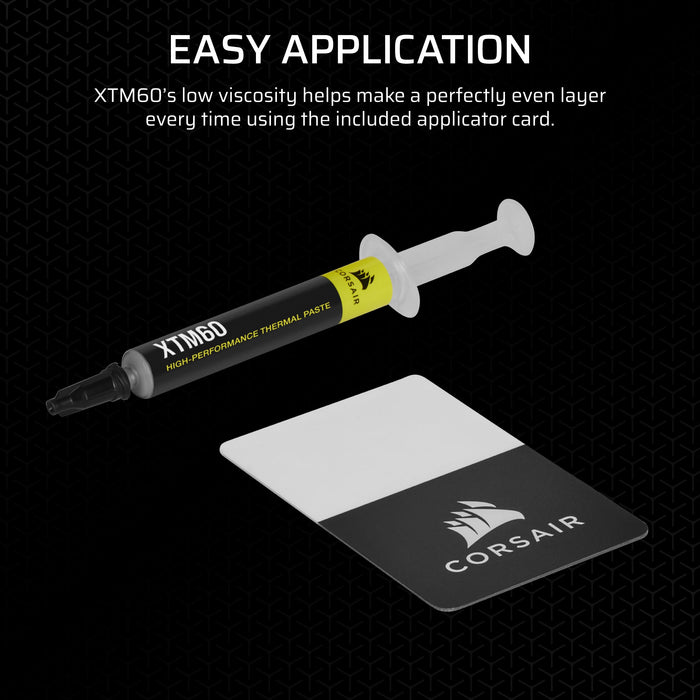
Reinstall the GPU at your destination using fresh thermal paste if the cooler was disturbed. Most GPU damage during shipping comes from the card flexing in its slot, not from external impacts to the card itself.
Can Courier Services Safely Ship a Full Gaming PC in India?
Courier services like DTDC, Blue Dart, and Indian Post can safely ship gaming PCs with proper packing and insurance. However, success depends entirely on packing quality—poorly packed PCs arrive damaged regardless of the courier company.
Personal transport in cars, trains, or flights (as checked baggage) is safer for expensive builds. If using couriers, choose services offering fragile handling and declare full value for insurance coverage.
Essential Packing Steps for Safe Transport
Remove Heavy Components: Take out GPU, large CPU coolers, and any loose drives or peripherals. These components create stress points during vibration and can damage motherboards or themselves.
Secure Internal Cables: Use zip ties or cable straps to bundle internal cables tightly against case walls. Loose cables can snag on fans or components during movement.
Fill Empty Space: Pack the case interior with foam blocks, bubble wrap, or packing peanuts to eliminate movement. Empty space allows components to shift and collide during transit.
Double-Box Method: Place the packed PC case inside a larger box with 2-3 inches of padding material between boxes. This absorbs external impacts before they reach your components.
Moving Cities: Personal Transport vs Shipping
Personal Transport (Car/Train): Safest option for expensive builds, allowing you to control handling and avoid rough courier treatment. Keep the PC in climate-controlled environments to prevent condensation damage.
Courier Shipping: Convenient for those without personal transport options, but requires excellent packing and insurance. Choose premium courier services with fragile handling and tracking capabilities.
Flight Transport: Some airlines accept PC cases as checked baggage with proper packing. Check airline policies on lithium batteries (UPS units) and weight restrictions before booking.
LAN Party Transport Considerations
Short-Distance Transport: For local LAN parties, removing just the GPU is often sufficient if you're driving personally. Use the original case box with foam inserts for additional protection.
Multiple PC Transport: When transporting several PCs together, pack each in separate boxes to prevent collisions. Label boxes with owner names and component lists for easy identification.
Quick Setup Tips: Bring thermal paste, screwdrivers, and cable ties for on-site assembly. Test all components before the event starts to allow time for replacements if needed.
Component-Specific Packing Guidelines
CPU Coolers: Large air coolers like Noctua NH-D15 should be removed and packed separately. AIO liquid coolers can typically remain installed if the radiator is securely mounted.
Storage Drives: SSDs and HDDs should be removed and packed in anti-static bags with bubble wrap. HDDs are particularly vulnerable to shock damage during transit.
RAM and PSU: These can generally remain installed if properly seated. RAM sticks are small and lightweight, while PSUs are securely mounted at the case bottom.
Case Fans: Remove expensive RGB fans if they're easily detachable. Stock fans can remain installed if the case is well-padded internally.
Courier Service Selection in India
Always declare full value and purchase insurance for builds over ₹50,000. Budget courier services may not cover high-end components adequately.
Common Transport Mistakes to Avoid
Shipping with GPU Installed: The most common cause of motherboard damage during PC transport. Always remove graphics cards regardless of transport method.
Inadequate Padding: Using newspaper or thin foam instead of proper packing materials. Invest in quality bubble wrap and foam blocks for expensive components.
Skipping Insurance: Assuming courier insurance covers full replacement cost. Most basic policies have low limits that don't cover high-end gaming PCs.
Temperature Exposure: Leaving packed PCs in direct sunlight or unsealed vehicles during Indian summers. Heat can damage components and warp plastic parts.
FAQ
Q: How do I pack a gaming PC for shipping?
Pack a gaming PC for shipping by removing heavy components like GPU and large CPU coolers, filling the case interior with foam or packing peanuts, and using the double-box method with 2-3 inches of padding. Wrap individual components in anti-static bags and bubble wrap, then seal in sturdy boxes marked as fragile.
Q: Should I remove the GPU before transporting my PC?
Yes, always remove the GPU before transporting your PC to prevent PCIe slot damage from vibration and impacts. Graphics cards act as levers during rough handling that can crack motherboard traces, making removal essential for safe transport.
Q: Can courier services safely ship a full gaming PC in India?
Courier services like Blue Dart and DTDC can safely ship gaming PCs with proper packing and insurance, but success depends on packing quality. Personal transport is safer for expensive builds, while courier shipping works well with excellent packing and full-value insurance coverage.
Planning a move or upgrade?
Proper transport protects your investment—take time to pack carefully. If you're rebuilding after a move or upgrading components, check our budget PC build guides and PSU category for reliable parts.