

Gaming Mouse // AULA
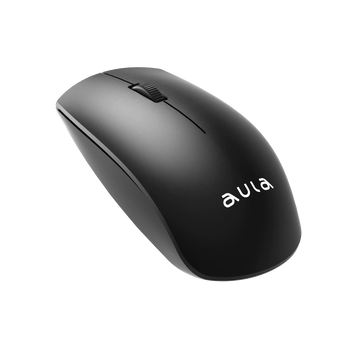
AULA SC550 Dual-Mode Wireless RGB Gaming Mouse | Blue (SC550U)
Price inclusive of all taxes
Technical specification
AULA SC550 Dual-Mode Wireless RGB Gaming Mouse is a compact dual‑mode gaming mouse with 2.4G wireless and wired USB‑C, adjustable DPI up to 4800, 7 buttons, RGB lighting, and a 600mAh rechargeable battery, ideal for gaming and everyday laptop/PC use.
Key Specifications
-
SKU: SC550U (Blue)
-
Connection: Dual mode – 2.4G Wireless (USB receiver) and Wired USB‑C
-
Sensor: Optical gaming sensor
-
DPI: 400 / 800 / 1600 / 2000 / 2400 / 4800 DPI (6‑step adjustable)
-
Polling Rate: 500 Hz
-
Buttons: 7 buttons / 7 macro buttons (Left, Right, Scroll, DPI, Forward, Backward, Mode)
-
Lighting: RGB / colourful illuminated effects with adjustable lighting modes
-
Battery: Built‑in 600 mAh rechargeable lithium battery, USB‑C charging
-
Product Size: 117 × 76.7 × 39 mm
-
Weight: 92 g (mouse only)
-
Wireless Range: Up to 10 m (2.4G wireless)
-
Compatibility: Windows 2000 / XP / 7 / 8 / 10 / 11, macOS
-
Ergonomics: Right‑hand ergonomic shape
-
Warranty: 12 Months warranty for manufacturing defects (retailer spec)
About the AULA SC550 Blue
The AULA SC550 Blue is designed for users who want a stylish blue gaming mouse that can easily switch between wireless convenience and wired reliability.
Its 6‑step DPI range and 7‑button layout make it suitable for casual gaming, school, and work, with quick access to DPI and side buttons for shortcuts.
With RGB lighting, a 600mAh battery, and a compact ergonomic design, it fits clean blue‑accent setups on both desktops and laptops.
Note: Battery life and wireless performance depend on DPI and lighting settings. For the lowest input lag, use wired mode or keep the receiver close to the mouse.
More Products

Before you buy
Is this genuine, warranted stock?+
Yes — authorised AULA stock with full brand warranty, GST invoice, and serial tracking.
How fast does it ship?+
Dispatched in 2–7 days with tracked shipping across India. Tracking is shared by email and SMS.
What payment options are available?+
UPI, all major cards, net-banking, and no-cost EMI on eligible orders — chosen at checkout.
Can I return or replace it?+
Check our refund/return policies in the footer menu
I need technical help/assistance?+
Contact 8356026438 for any querries